
How to do your best work
With Claude projects

Hey! This is Ankur, and this is the 28th edition of Lazy AI — the only AI newsletter for non-tech folks, to stay ahead of the curve.
Today, I’m going to be talking about one AI tool I love the most — Claude Projects.
Trust me, it’s a game-changer for any work that you do. The next 3 minutes will tell you why.
First, what is “Projects” in Claude?
It’s basically a dedicated workspace inside Claude that lets you work on a particular task, over a long time. This workspace has all the relevant files and the context needed for Claude to understand and help you do the task.
Think of it this way: Claude is a school. Claude Projects is a laboratory inside that school (let’s assume it’s the chemistry lab). There, students will study and create things related to chemistry. It has all the equipment needed (burners, chemicals, flasks etc) for the students to perform various tasks.
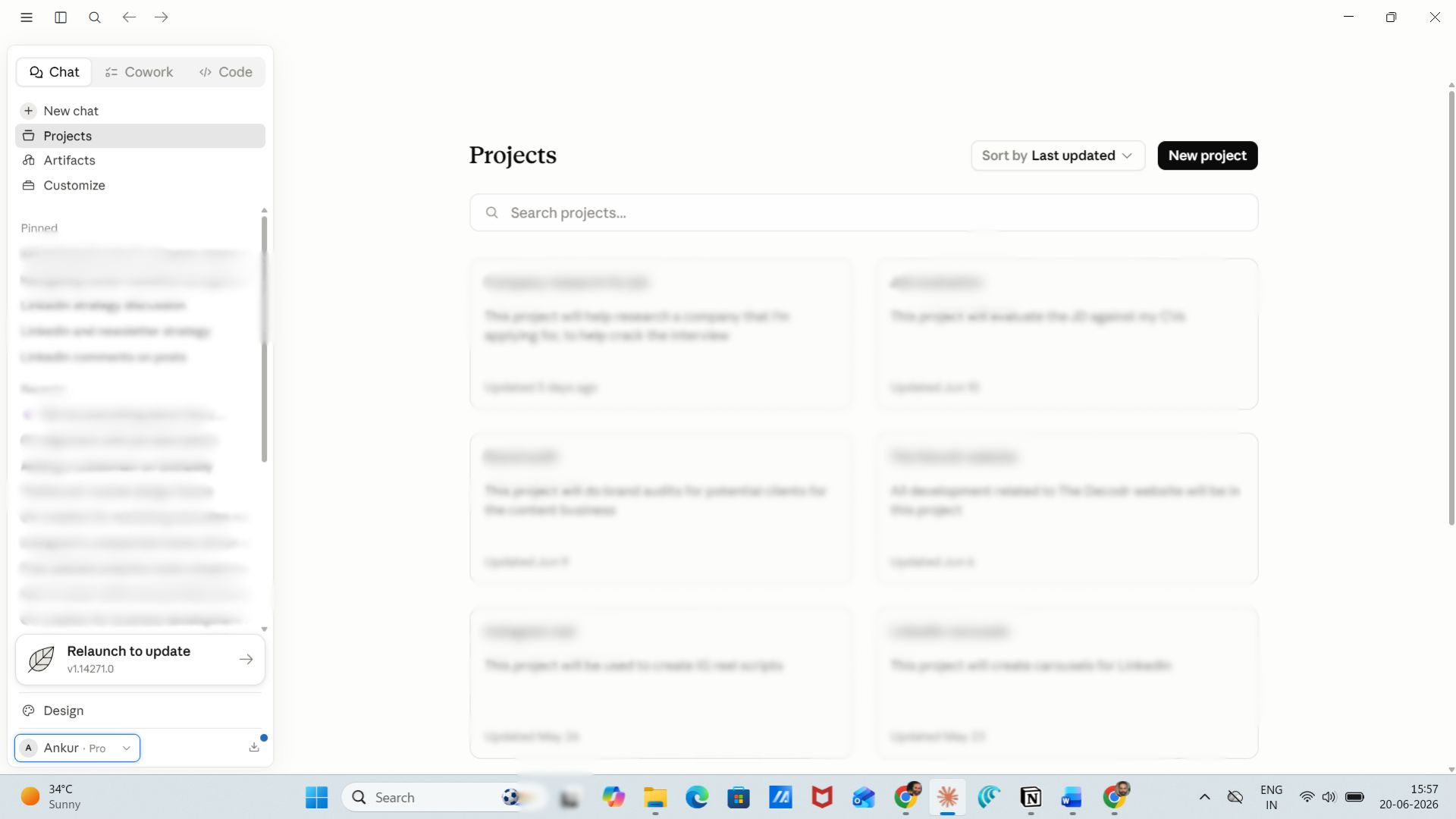
You can find it in the left sidebar in Claude.
What kind of work should you do in Claude Projects?
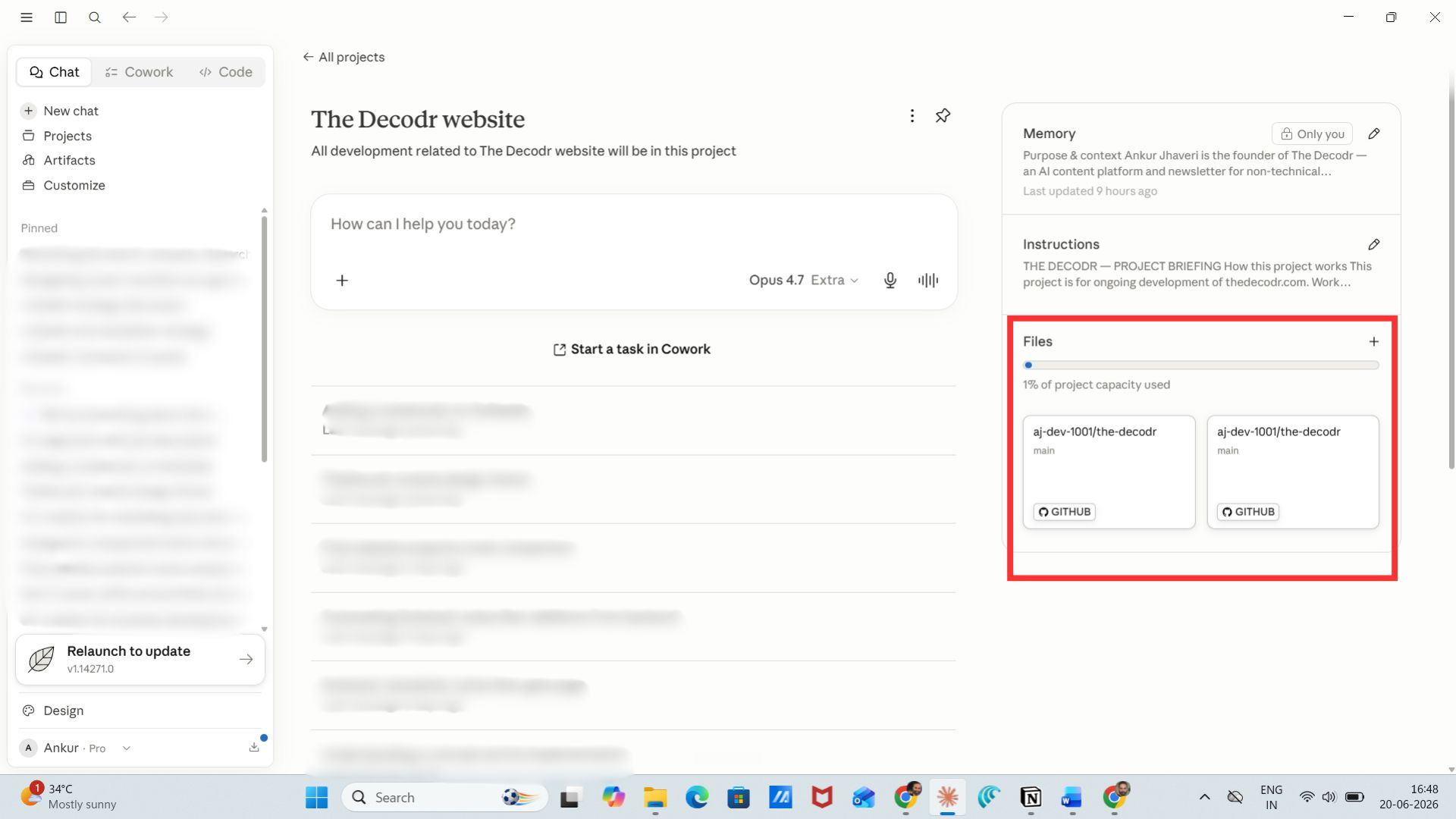
Any task that is repetitive or runs for a long time, or needs prior knowledge and context to be built upon, should be a Claude project. In the project, you gotta add all the relevant files needed to perform that task. There’s a “files” section in each project where you can add the relevant files/documents.
If you like what you’re reading, let’s stay connected! You don’t need to know tech to learn AI, subscribe to this newsletter — every week, you’ll understand AI well enough to be the smartest person in the room at work.
Each issue is just 5 minutes (less than the time you spend doomscrolling before bed). Except, this actually moves your career forward.
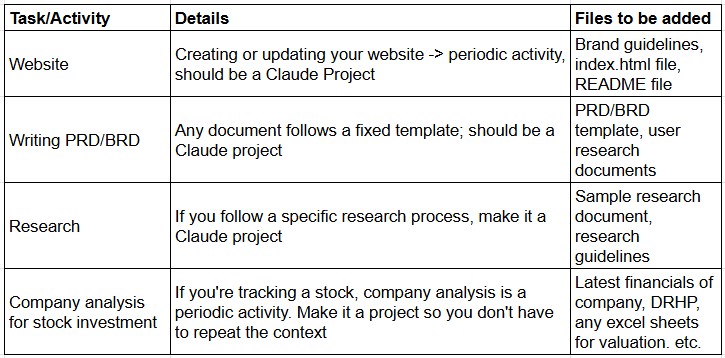
Below, I’ve given a list of tasks/activities that should actually be Claude Projects:
The main reason to create a Claude Project
This is the most important part: The major reason to create a Claude Project is Context. So that whenever you work on your website, your LinkedIn post, your analysis (or anything else), you don’t need to start your prompt with “Here’s the context..”
No. With Claude Projects, you just need give it context once — when you create the project. In a section called as “Instructions” in Claude. Here, you be as detailed as possible.
It’s a one-time activity, so don’t be lazy? 🤷🏻
See this is what I’ve done for my website “The Decodr” in Claude Projects:
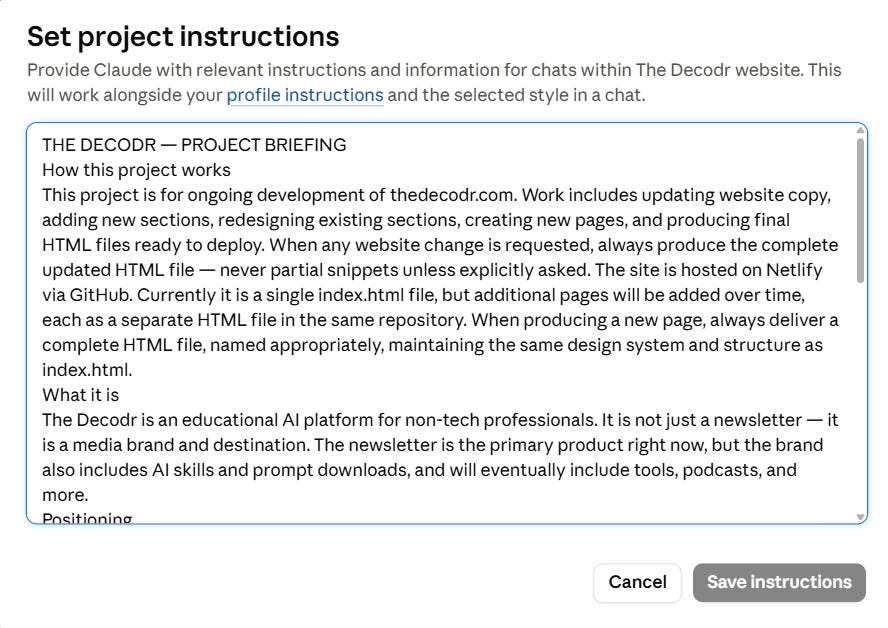
If you want to know the detailed instruction set, just comment on this post or reply to this email, and I’ll send it to you.
The last (and magical) part
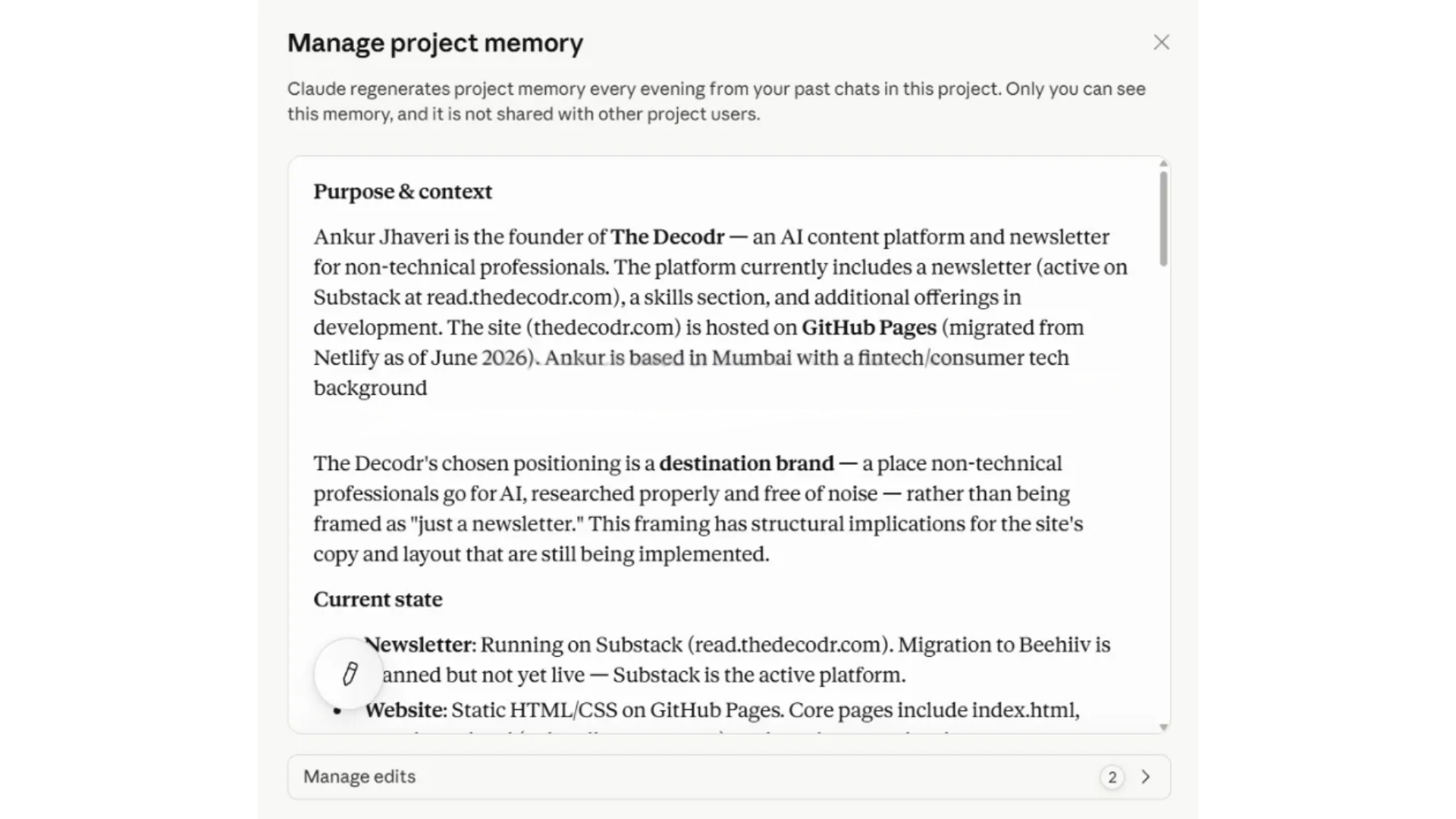
On a daily basis, based on your interaction with Claude for your project, it automatically keeps updating its “Project Memory” on its own. This means, it gives itself more context to perform the tasks you need it to perform.
This is what it made for my project (without me telling it to do it):
If you like what you’re reading, let’s stay connected! You don’t need to know tech to learn AI, subscribe to this newsletter — every week, you’ll understand AI well enough to be the smartest person in the room at work.
Each issue is just 5 minutes (less than the time you spend doomscrolling before bed). Except, this actually moves your career forward.
In a nutshell..
Claude projects is like onboardng a new employee in your team. You sit with it for an hour, give it all the context it needs, share templates, and he/she just gets going!
As simple as that.
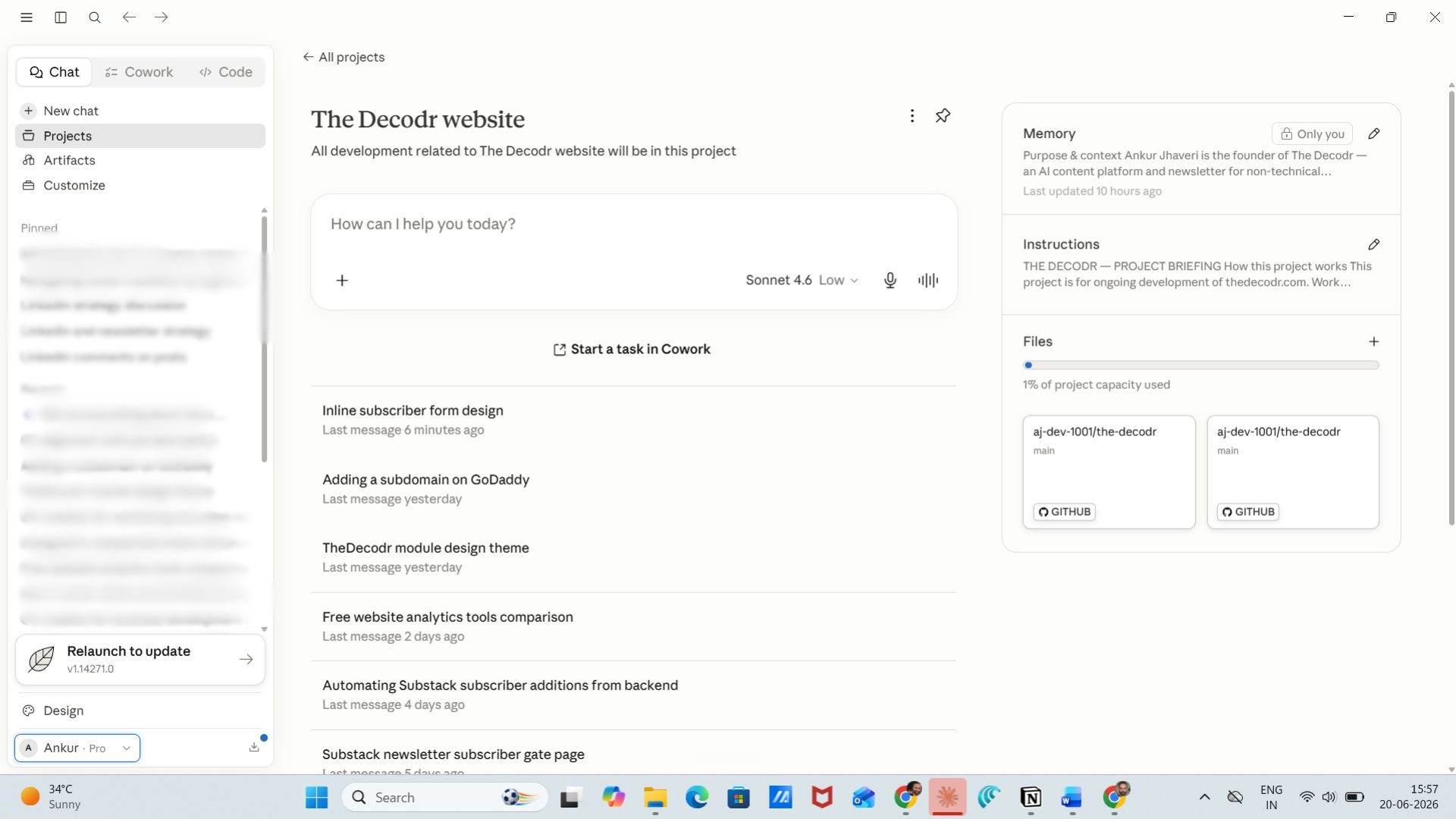
Here’s how my project (The Decodr) looks in Claude projects:
(For context, The Decodr is the platform I’m building for all non-tech professionals to come and understand + use AI. Newsletters, how-to guides, readymade Claude skills and more. Check it out here)
So what does this mean for you?
Well, you can now start using Claude Projects to do your best work. Since you don’t need to give it context everytime, you can spend lesser time talking and more time reviewing — which is exactly how we’re supposed to use AI :)
Well folks, that’s it for today! If you liked it, please share it with others. And if you want to talk about this or anything else, please reply to this email or drop it in the comments. I would love to read what you guys have to say!
See you next Saturday!
Cheers,
Ankur
Love this Ankur. Very simple and very much an dummies guide I must say. Which Claude version you recommend, for personal use the Pro version for serious user is enough?